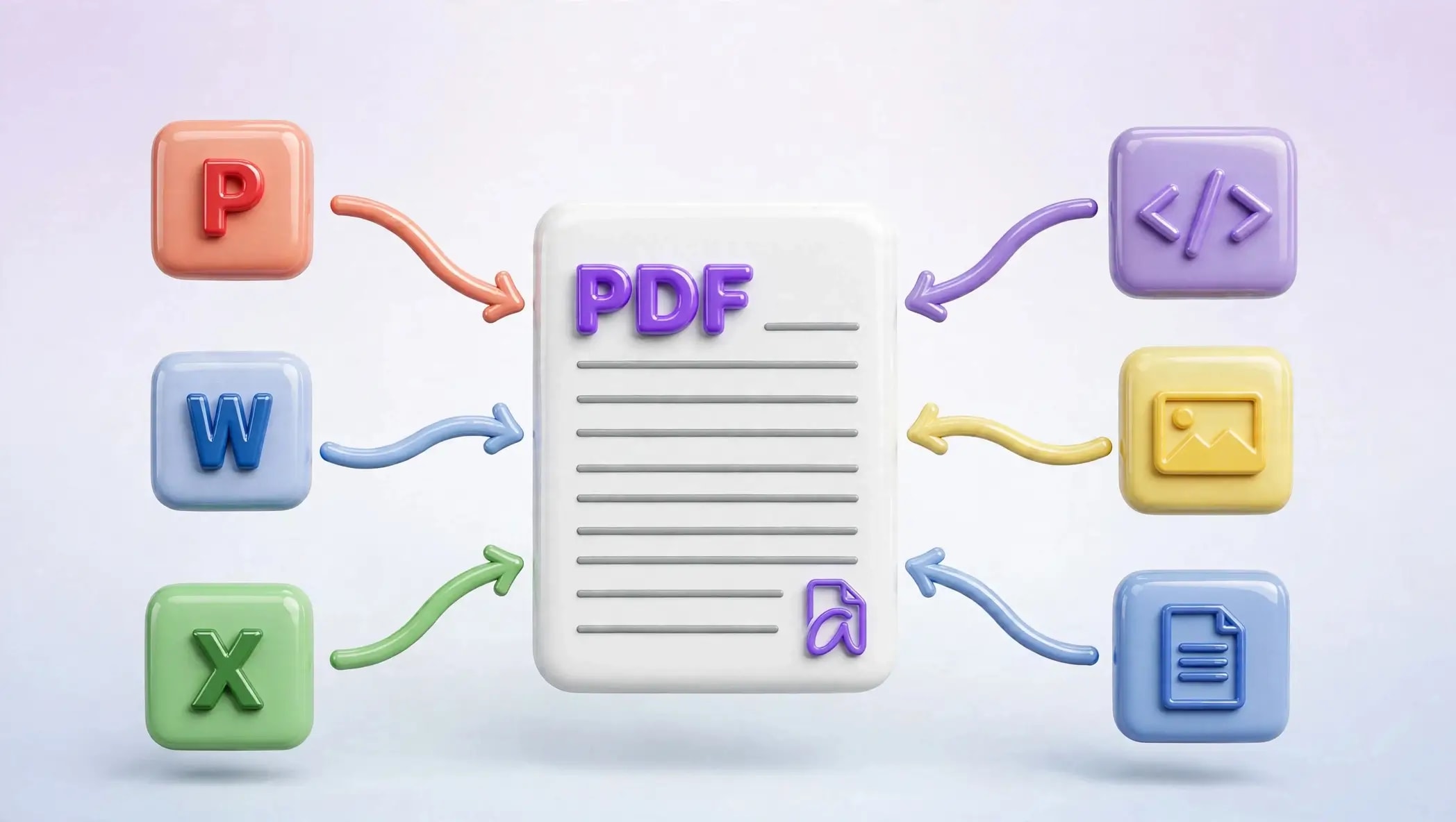

Generate hundreds of unique PDFs from one template, and discover how to convert Word, Excel, and Powerpoint documents into PDFs completely free of charge, online only.
PDF conversion is something everyone is familiar with. What is less known is that it’s possible to make hundreds of personalized documents based on one PDF template using just a spreadsheet. If you’ve never done that before, now might be a good time to start.
Something Most People Don't Know You Can Do: Generate Personalized PDFs in Bulk
Planning to invite guests to a function or event? Just upload your guest list and a PDF invitation template to Bulk PDF, and AziPDF will personalize each invite with every guest's name and any other details you'd like, no manual editing, one invite per person, done in minutes.
If you've ever had to send the same document to a lot of people, event tickets, certificates, invoices, personalized letters, ID badges, you know how tedious it gets manually editing a file over and over for each person. Bulk PDF Creation solves this by turning one PDF template and a spreadsheet into a personalized PDF for every single row, essentially a mail merge, but for PDFs.
Here's how it works:
- •Open AziPDF, Bulk PDF generator and select your PDF document template along with Excel or CSV document. The first line of your Excel sheet must have headers such as Name, Email, Ticket Number, etc.
- •Draw fields on the PDF template where you want to place personal information, and map that field with the respective column of the Excel sheet.
- •Select a column name for renaming your output files, Guest name, for instance, and AziPDF will sanitize that filename and make sure there is no naming conflict.
- •Click Generate, and AziPDF will create customized PDF for each entry in your Excel sheet.
A few things worth knowing:
- •The output stays a real, selectable PDF. AziPDF writes actual text onto the original vector content of your template rather than flattening it into an image, so your files remain sharp and searchable.
- •There's no practical limit on how many PDFs you can generate, it just depends on how many rows are in your spreadsheet. Larger files simply take a little longer to process.
- •Your PDF template and spreadsheet are never uploaded anywhere. Everything runs locally in your browser, which matters if you're working with names, emails, or other personal data.
If you're organizing an event, running a certification course, or sending out personalized invoices every month, this one feature alone can save you hours of repetitive manual work.
What Is the Need To Convert Files Into PDFs?
Now that we know what Bulk PDF can do, it may be wise to go back to the real need of most users, and that is converting an ordinary Word, Excel or PowerPoint document into a PDF.
Ever experienced sending a Word document via email only to discover later on that it appears all messed up because of the fonts having been altered, spaces being off and pictures being out of place? You have already encountered the main issue PDF was created to address. One of the few things about PDF that makes it unique is that it appears exactly the same for anyone that opens it, which explains why it has become the preferred format for resumes, contracts, invoices, and any other documents that you don't want to accidentally damage when clicking send.
This is what you stand to benefit from conversion:
- •It's consistent no matter where it is used. A PDF will open in the exact same way on Windows, Mac, Android, or even an iPhone. You won't have those weird instances where a client opens up your document and it's gone haywire.
- •People know what to expect. Applications for jobs, documents for the government, work that must be handed in at school almost all of these things require you to use a PDF for a reason.
- •The file is usually smaller. It's pretty common for a PDF file to be much smaller than the actual file, so it can easily fit into an email where there's a maximum size limit.
- •You can lock it down. PDFs support password protection, so if you're sending something private, like a contract or financial statement, you can control who's able to open it.
- •You can secure it. PDF files allow you to put in passwords, which means that if you're sending a contract or financial details in the mail, you can ensure that only specific people are allowed to open it.
- •There's no chance that anything changes. Since once a file becomes a PDF, nothing will happen to it. It won't be possible for someone to change the information within the file without you knowing.
How to Convert Office Files with AziPDF
This is where azipdf.com comes in. Instead of installing software or digging through menus, you upload your file, convert it, and download the result, all directly in your browser.
Word to PDF
Turn your .docx file into a clean, ready-to-share PDF that keeps your formatting exactly as you designed it.
- •Open Word to PDF.
- •Upload your file, or drag it straight into the browser window.
- •Click Convert.
- •Download your finished PDF.
Excel to PDF
Perfect for sending reports or spreadsheets to someone who doesn't have Excel installed, without worrying about columns or formulas shifting around.
- •Open Excel to PDF.
- •Upload your spreadsheet.
- •Click Convert.
- •Download the finished PDF, cleanly formatted and ready to print or share.
PowerPoint to PDF
Great for sharing a presentation with someone who just needs to read through it, no missing fonts, no shifted slides.
- •Open PowerPoint to PDF.
- •Upload your .pptx file.
- •Click Convert.
- •Download your PDF, with every slide preserved exactly as designed.
A Few More Tools Worth Knowing About
Apart from conversions and bulk creations, there are some other tools that are frequently mentioned when people get into using PDF files on a regular basis:
- •Merge PDF: Combine multiple PDFs into one file, useful if you need to make a report from several different files.
- •Split PDF: Extract certain pages from a PDF or divide a large file into smaller parts.
- •Compress PDF: Shrink a bulky PDF down for easier emailing, without noticeably hurting quality.
- •Rotate PDF: Fix pages that were scanned sideways or upside down.
- •Protect PDF: Add a password so only the people you choose can open a sensitive file.
- •PDF to Word: Convert a PDF file in the opposite direction, if editing is required.
Usually, people find out about these tools only when they actually have a particular problem to solve, and it's useful to bookmark the whole tools page for future reference.
Simple by Design
Everything above runs directly in your browser. There's nothing to install on your computer, and no watermark gets slapped across your finished file. You upload, you convert or generate, you download. That's the whole process, start to finish.
What About Privacy?
This is usually the first question people ask, and it's a fair one, you're often uploading personal or work documents. AziPDF's conversion and Bulk PDF tools process everything locally in your browser rather than sending files to a server. That means your original documents, and your spreadsheet data, never leave your device. Whether it's a contract, a guest list, or a batch of certificates with real names on them, there's no copy sitting on someone else's server afterward.
Conclusion
Once you've seen what Bulk PDF can do, ordinary conversions almost feel like the warm-up act. Between the two, plus a handful of everyday tools, you're covered for most of what comes up day to day. Give azipdf.com a try next time you need a fast way to get your documents into shape, your files, your way.
More Documents, Less Repetitive Work.
Get StartedSafe in our hands
AziPDF takes your privacy seriously. Remember that...